Content approval
Re-design, web, client & internal users
2025

Context
The Problem
Goal
Before
Uncovered issues
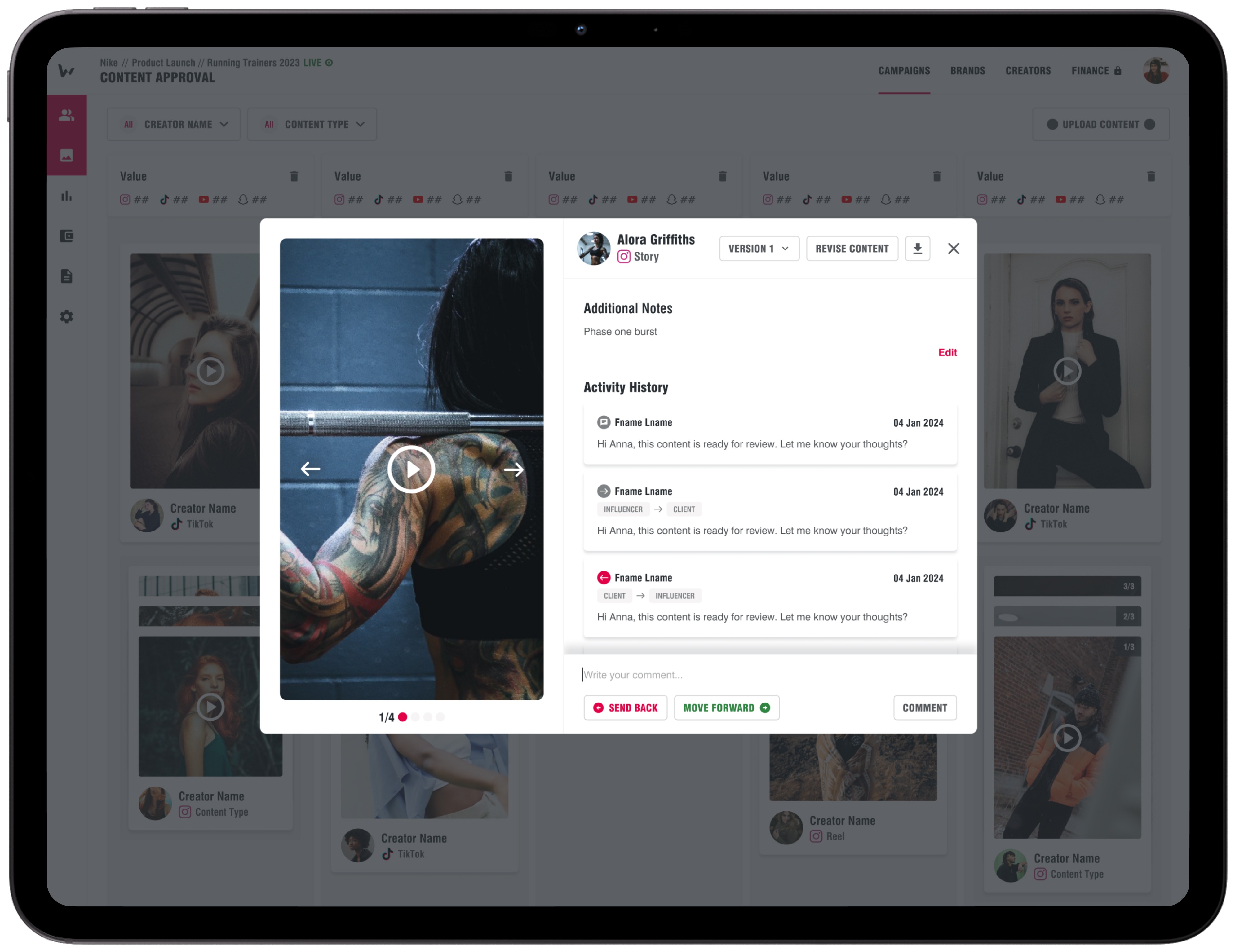
👎 No labels
Users would like a labelling feature that allows them to categorise content, for example, by campaign phases or creator tiers.
👎 Comments only when taking actions
Users would like to comment on content without needing to approve or decline it, as well as to view comments separately from the activity history.
👎 Limited working area
There was a business requirement to introduce a usage-rights tracker for each piece of content, which wasn’t feasible within the modal view.
👎 Limited functionality of comments
Users would like the ability to format comments and add media files to make them more digestible and visually engaging.
Key design decisions
• Find a way to indicate which stage of the approval process the content is in
• Add navigation between content items while approving or rejecting, as well as without taking an action
• Indicate who the content belongs to and the type of content
• Provide ability to edit captions
• Decide on the logic for viewing and commenting on different content versions
• Introduce mentioning functionality
• Decide on the logic for mentioning users who are not campaign members.
• Provide an alternative for additional notes
• Decide on the logic for labels and ways to assign them
• Decide on the logic for displaying usage rights depending on the contract status of the creator and content status.
Results
Content approval page
Assigning labels
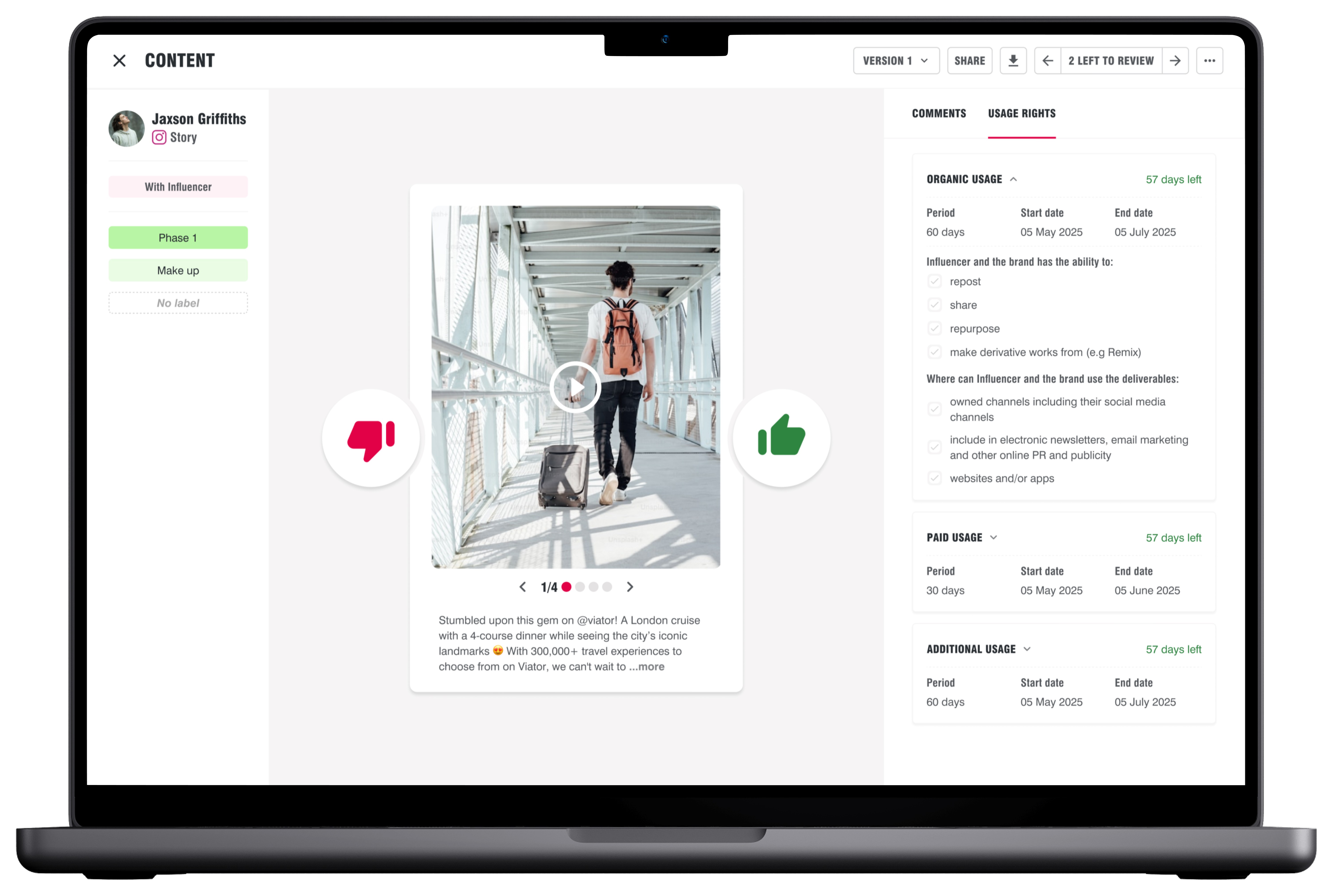
Usage rights tracker
Results in detail
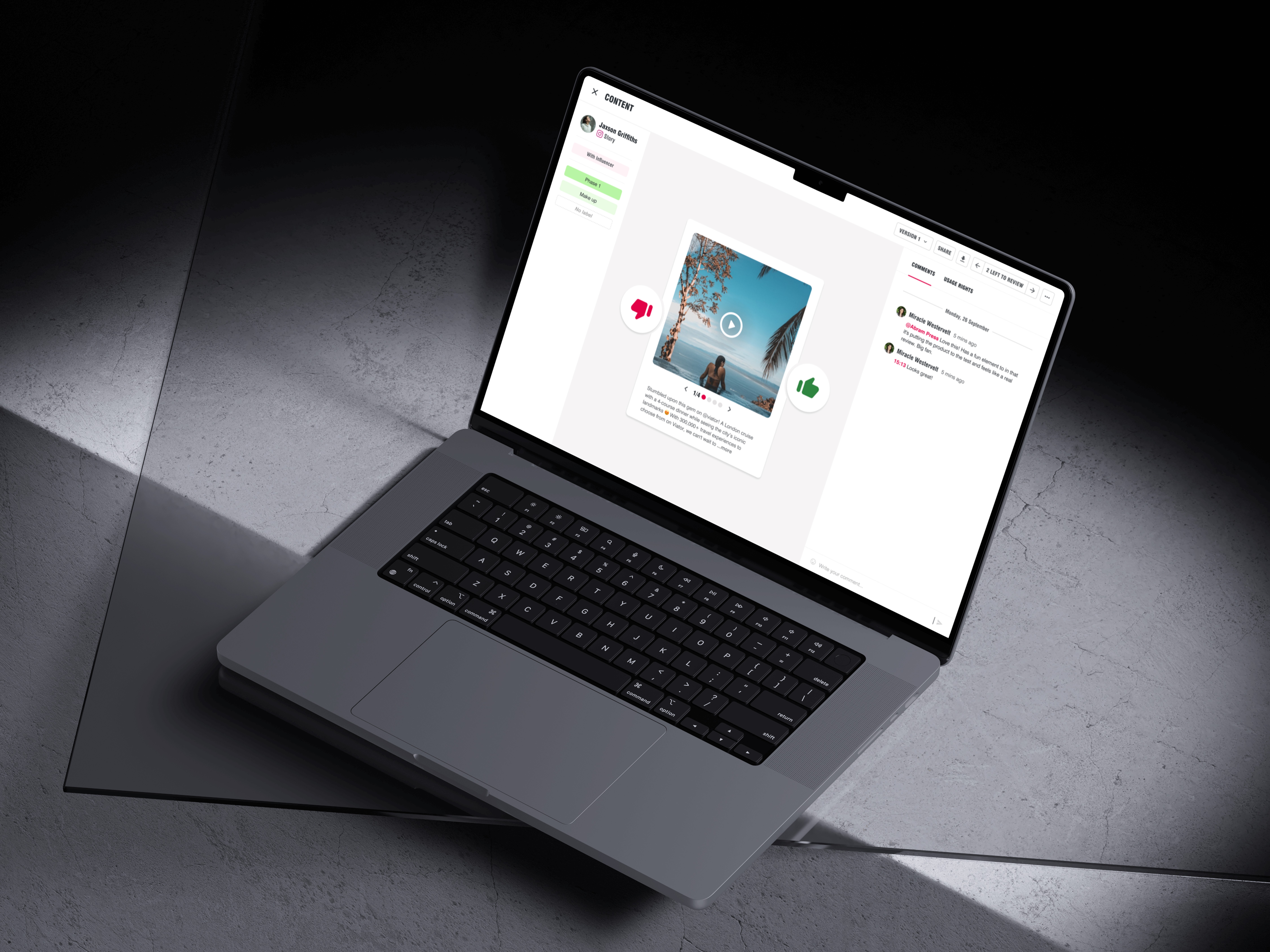
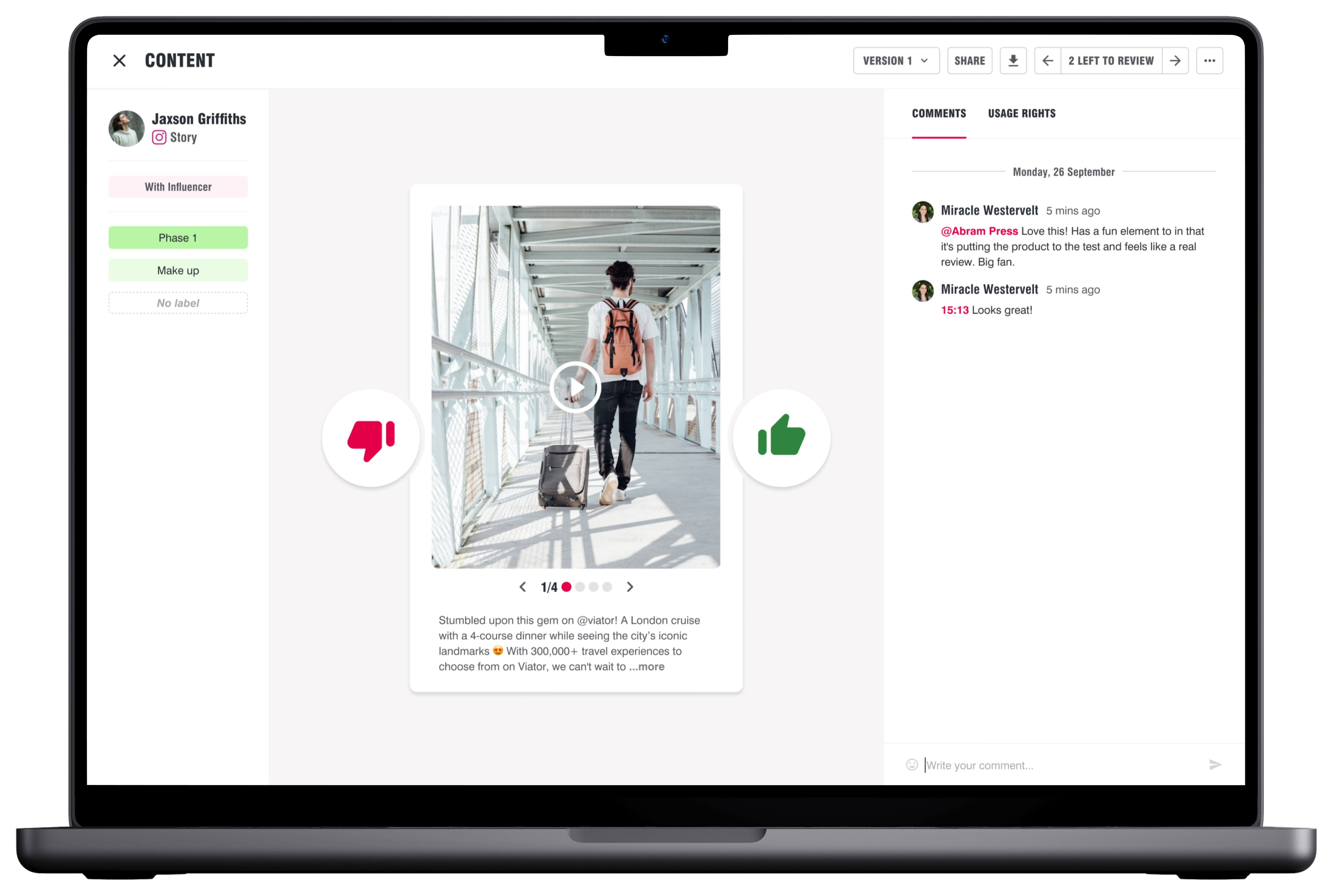
👍 Platform-like preview of content
By mirroring the final social media presentation, we helped users evaluate content and improve decision-making.
👍 Commenting panel
We enabled users to add comments and provide feedback at any time, without needing to approve or reject.
👍 More screen estate
We redesigned the content approval modal to a full-page workflow, enabling features such as commenting, labels, and a usage rights tracker
👍 Formating tools for comments
We added basic text formatting options, such as line breaks, bold, and underlined text, along with the ability to edit, pin, and delete comments.
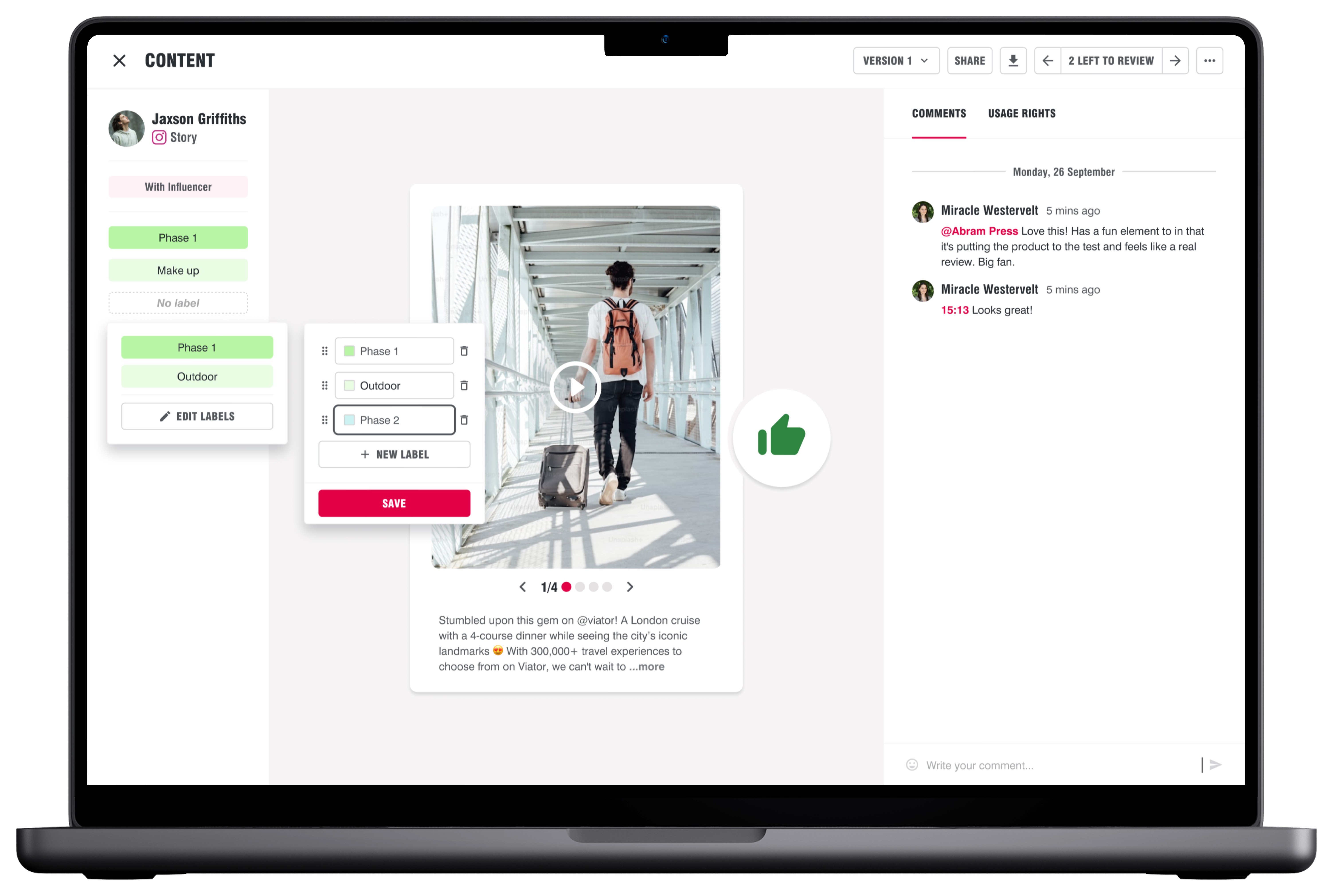
👍 Labels
We added the ability to assign up to three labels per post and an unlimited number of labels per campaign, with options to edit and delete them.
👍 Usage rights tracker
To improve visibility into content usage rights, we added a usage rights tracker for contracted content, with a countdown timer for posted assets.
👍 Pinned comments
We introduced pinned comments to keep important information visible at all times, replacing the additional notes used in the previous iteration.
👍 Tinder-like approve/rejection experience
We applied a familiar, low-friction interaction from dating apps to signal the primary decision on the page.
Impact
Redesigning the Content Board from a modal to a full-page workflow created a more intuitive and efficient approval experience. The new layout supported richer collaboration with inline commenting, pinned notes, and labels, allowing feedback at any stage without interrupting the workflow.
Mirroring the final social media presentation reduced uncertainty, while thumbs-up and thumbs-down interactions made approve or reject actions instantly recognizable. The usage rights tracker with a countdown timer improved transparency and reduced the risk of content misuse.
Overall, these changes streamlined the review process, surfaced critical information, and strengthened the Content Board’s role in driving adoption, improving decision-making, and linking content approval to reporting and creator payments.